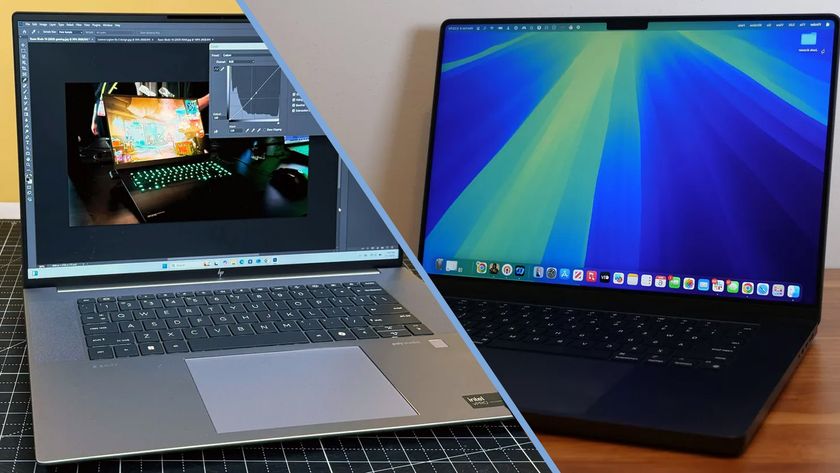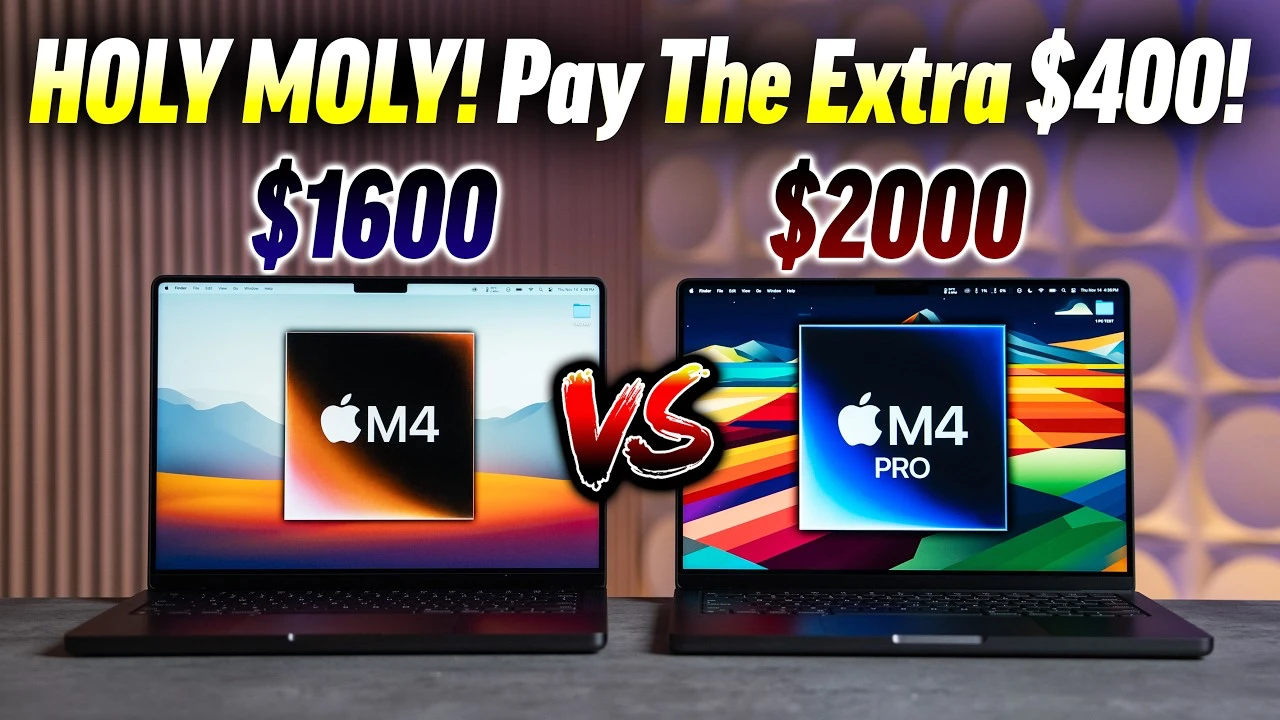

MacBook Pro M4 vs. Workstation Laptops: A Head-to-Head Battle for Professional Dominance
The landscape of professional computing is in a constant state of flux, driven by relentless innovation from giants like Apple, Intel, AMD, and NVIDIA. For years, the gold standard for demanding tasks – from 3D rendering and scientific simulations to high-end video editing and machine learning – has been the traditional workstation laptop, characterized by its powerful discrete components, robust cooling, and extensive upgradeability. However, with the advent of Apple Silicon, particularly the highly anticipated M4 chip, a new contender has emerged, challenging the very definition of a professional powerhouse.
This article delves deep into a head-to-head comparison between the next-generation MacBook Pro, powered by the hypothetical yet inevitable M4 chip, and its established rivals: the formidable workstation laptops from manufacturers like Dell, HP, Lenovo, and others. We will explore their architectural philosophies, performance metrics across various workloads, software ecosystems, design choices, and ultimately, help discerning professionals determine which machine best suits their exacting demands.
The Contenders: A Clash of Philosophies
Before we pit them against each other, let’s understand the fundamental design philosophies underpinning each category.
1. The MacBook Pro (Anticipated M4): Apple’s Integrated Powerhouse
Apple’s journey with its custom Silicon began with the M1, evolving through M2 and M3, each iteration pushing the boundaries of performance per watt. The M4, while not yet officially announced, is expected to continue this trajectory, refining the already impressive foundation.
Core Philosophy: Vertical integration, efficiency, and a unified architecture. Apple designs the entire stack – hardware, software, and the chip itself – allowing for unparalleled optimization. The "System on a Chip" (SoC) approach means the CPU, GPU, Neural Engine, and Unified Memory are all on a single die, facilitating extremely fast data transfer and minimal latency.
Key Characteristics (Based on M1/M2/M3 trends, projected for M4):
- Apple Silicon Architecture: A highly efficient ARM-based design featuring a mix of performance and efficiency cores, a powerful integrated GPU, and a dedicated Neural Engine for AI/ML tasks.
- Unified Memory Architecture (UMA): A single pool of high-bandwidth, low-latency RAM accessible by all components of the SoC. This eliminates the need for data copying between CPU and GPU memory, boosting performance for memory-intensive tasks.
- Exceptional Power Efficiency: Leads to industry-leading battery life and significantly less heat generation, often allowing for fanless or near-silent operation under moderate loads.
- macOS Ecosystem: Tightly integrated with Apple’s hardware, offering a seamless user experience, robust security features, and optimized first-party and many third-party applications.
- Premium Design & Display: Known for their unibody aluminum chassis, stunning Liquid Retina XDR displays (Mini-LED with ProMotion), and excellent trackpads and keyboards.
The M4 is expected to bring further advancements in CPU core count/speed, GPU capabilities (perhaps even hardware ray tracing acceleration), a more powerful Neural Engine, and potentially higher unified memory capacities or bandwidth. Its appeal lies in its holistic approach, offering a cohesive, powerful, and remarkably efficient computing experience.
2. Traditional Workstation Laptops: The Modular Powerhouses
Workstation laptops represent the pinnacle of conventional PC architecture. These machines are designed for maximum raw power, expandability, and compatibility with a vast array of specialized software and hardware. They are often the tool of choice for engineers, data scientists, architects, and VFX artists who demand uncompromising performance.
Core Philosophy: Raw power, modularity, and specialized components. Unlike Apple’s integrated approach, workstation laptops typically feature discrete, high-performance components from various manufacturers (Intel/AMD for CPUs, NVIDIA/AMD for GPUs). This modularity allows for greater customization and, in some cases, upgradeability.
Key Characteristics:
- High-Performance CPUs: Intel Core i9 or Xeon processors, or AMD Ryzen/Threadripper Mobile CPUs, offering high core counts and boost frequencies. Xeon processors often support ECC (Error-Correcting Code) RAM for mission-critical applications.
- Discrete Professional GPUs: NVIDIA Quadro/RTX Ada Generation or AMD Radeon Pro GPUs, featuring vast amounts of dedicated VRAM, specialized drivers, and often hardware acceleration for specific professional tasks (e.g., NVIDIA’s CUDA cores for AI/ML and rendering, RT cores for ray tracing).
- Expandable RAM & Storage: Multiple DIMM slots for extensive RAM configurations (up to 128GB or more), and often multiple M.2 NVMe slots for massive, high-speed storage arrays.
- Robust Cooling Systems: Necessary to manage the significant heat generated by powerful discrete components, often involving multiple fans and elaborate heat pipe designs, which can lead to audible fan noise under load.
- Operating System Flexibility: Primarily Windows, offering the widest software compatibility, but many also support Linux for specific development or scientific workloads.
- Extensive Port Selection: A plethora of ports, including multiple USB-A, Thunderbolt/USB-C, HDMI, Ethernet, SD card readers, and sometimes even mini-DisplayPort, catering to a wide range of peripherals and external displays.
Examples include Dell Precision, HP ZBook, Lenovo ThinkPad P series, MSI Creator series, and some high-end ASUS ProArt models. Their strength lies in brute force, expandability, and the ability to tailor specifications to highly specific professional needs.
Head-to-Head Battlegrounds
Now, let’s dive into the detailed comparison across critical aspects that matter to professionals.
1. Performance & Architecture: The Core of the Beast
This is arguably the most crucial battleground.
-
CPU Performance:
- MacBook Pro M4 (Anticipated): Apple Silicon CPUs excel in single-core performance and boast impressive multi-core capabilities, particularly for tasks optimized for its architecture. The efficiency cores contribute to its excellent performance-per-watt. For tasks like video encoding (especially with Apple’s media engines), audio production, and general software development, the M-series chips have proven exceptionally fast.
- Workstation Laptops: Intel Core i9/Xeon and AMD Ryzen/Threadripper Mobile CPUs offer extremely high core counts and clock speeds, making them formidable for heavily multi-threaded applications like complex CAD simulations, large-scale data compilation, and scientific computing. They often win in raw, sustained multi-core benchmarks, especially when thermal limits allow. The boost clocks can provide bursts of very high single-core performance.
-
GPU Performance:
- MacBook Pro M4 (Anticipated): The integrated GPU within Apple Silicon is a marvel of efficiency. It leverages the Unified Memory Architecture, meaning the GPU has direct, high-speed access to the entire system RAM, which can be a significant advantage for tasks where data transfer between CPU and GPU is a bottleneck (e.g., high-resolution video editing, some image manipulation). The M4’s GPU is expected to be even more powerful, potentially closing the gap further on entry-to-mid-range discrete GPUs. However, it still fundamentally operates within the constraints of an integrated design.
- Workstation Laptops: This is where traditional workstations often pull ahead, especially at the high end. Discrete GPUs like NVIDIA’s RTX Ada Generation (e.g., RTX 4080, 4090 Laptop) or AMD’s Radeon Pro series come with vast amounts of dedicated VRAM (e.g., 12GB, 16GB, 24GB or more), specialized CUDA cores (NVIDIA) or Stream Processors (AMD), RT Cores for ray tracing, and Tensor Cores for AI/ML. For tasks requiring extreme GPU compute – such as complex 3D rendering, real-time CAD model manipulation, large-scale AI model training, or VR development – these dedicated GPUs offer unparalleled raw horsepower and VRAM capacity that an integrated solution cannot match.
-
Memory Architecture:
- MacBook Pro M4 (Anticipated): Unified Memory is a game-changer for many professional workflows. Its high bandwidth and low latency, coupled with the elimination of data copying between CPU and GPU, accelerate tasks like video editing (especially in Final Cut Pro), large image processing, and certain scientific simulations. However, the maximum capacity is fixed at purchase (e.g., 64GB or 128GB, depending on the M4 variant), and it’s not user-upgradeable.
- Workstation Laptops: They use traditional discrete RAM modules (DDR4 or DDR5). While this means data must be copied between system RAM and GPU VRAM, it offers immense flexibility. Users can often upgrade RAM post-purchase, reaching capacities of 128GB or even more. For specific scientific or database applications, the option for ECC RAM (with Xeon CPUs) provides critical data integrity. Dedicated VRAM on discrete GPUs is crucial for large textures, high-polygon models, and massive datasets in AI/ML.
-
Neural Engines / AI Accelerators:
- MacBook Pro M4 (Anticipated): Apple’s Neural Engine is highly optimized for on-device machine learning tasks, powering features like intelligent photo processing, voice recognition, and specific AI workloads within macOS and compatible applications. The M4 is expected to significantly boost its capabilities.
- Workstation Laptops: While Intel and AMD have integrated NPUs (Neural Processing Units) in their latest CPUs, the primary AI/ML horsepower comes from NVIDIA’s Tensor Cores on their RTX GPUs. For serious AI development, training complex models, or working with large datasets, the sheer parallel processing power and specialized architecture of NVIDIA’s Tensor Cores, coupled with their extensive software ecosystem (CUDA, cuDNN, TensorFlow, PyTorch), are currently unmatched by integrated solutions.
2. Software Ecosystem & Optimization
-
MacBook Pro M4 (Anticipated):
- Pros: macOS is renowned for its elegance, stability, and security. Apple’s first-party applications (Final Cut Pro, Logic Pro, Xcode) are incredibly optimized for Apple Silicon. Many major creative applications (Adobe Creative Suite, DaVinci Resolve, Blender) have excellent native Metal-optimized versions. For web and mobile development (especially iOS/macOS), the Xcode environment on a Mac is indispensable.
- Cons: While improving, some highly specialized engineering, scientific, or niche enterprise software may still only run natively on Windows or Linux, or rely heavily on NVIDIA’s CUDA ecosystem. Gaming, while getting better, is not its primary strength.
-
Workstation Laptops:
- Pros: Windows offers the broadest software compatibility across virtually all professional domains. Every engineering, CAD, scientific, architectural, game development, and enterprise application will run on Windows. Linux support is also excellent for developers, researchers, and anyone needing specific server-side or open-source toolchains. The deep integration with NVIDIA’s CUDA platform is a critical advantage for many AI/ML, rendering, and simulation tasks. Drivers are often certified for specific professional applications, ensuring stability and performance.
- Cons: Windows can be more prone to performance inconsistencies or security vulnerabilities compared to macOS, although this has improved significantly. The user experience can sometimes feel less cohesive than macOS.
3. Thermal Management & Acoustics
- MacBook Pro M4 (Anticipated): A key differentiator. Due to the high efficiency of Apple Silicon, MacBook Pros generate significantly less heat. Under light to moderate loads, they often run silently (fanless or with extremely quiet fans). Even under heavy, sustained loads, the fans typically remain much quieter than their workstation counterparts, making them ideal for quiet working environments or recording studios.
- Workstation Laptops: With their powerful discrete CPUs and GPUs, these machines generate substantial heat. While modern cooling systems are sophisticated, under sustained heavy loads, fans will spin up to audible levels, sometimes quite loudly. This is a necessary trade-off for raw power but can be distracting in certain environments.
4. Battery Life & Portability
- MacBook Pro M4 (Anticipated): Apple Silicon has redefined laptop battery life. MacBook Pros consistently offer industry-leading endurance, often lasting a full workday or more on a single charge, even with demanding tasks. Their sleek, lightweight designs further enhance portability.
- Workstation Laptops: While battery life has improved, these machines typically offer significantly shorter runtimes, especially when the discrete GPU is active. Powerful components consume more energy. They are also generally thicker and heavier, reflecting their robust cooling systems and larger internal components, making them less ideal for frequent travel without a power adapter.
5. Display Quality
- MacBook Pro M4 (Anticipated): Apple’s Liquid Retina XDR displays are considered among the best in the industry. Featuring Mini-LED technology, they offer incredible contrast ratios (true blacks), high brightness for HDR content, wide color gamut (P3), and ProMotion adaptive refresh rates (up to 120Hz), making them superb for creative professionals.
- Workstation Laptops: Offer a wide variety of display options, from standard IPS panels to high-resolution 4K, OLED, or high-refresh-rate gaming-grade screens. Many come with excellent color calibration and wide color gamut support, making them suitable for design work. However, matching the overall package of brightness, contrast, and color accuracy of Apple’s XDR displays often requires selecting a very high-end (and expensive) specific panel option.
6. Upgradeability & Longevity
- MacBook Pro M4 (Anticipated): This is a significant drawback for some users. All components – RAM, storage, CPU, GPU – are soldered onto the logic board. This means no user upgrades are possible after purchase. Users must configure their machine with sufficient RAM and storage for its entire expected lifespan, which can lead to higher upfront costs.
- Workstation Laptops: A major advantage. Many workstation laptops allow users to upgrade RAM (via DIMM slots) and storage (via M.2 NVMe slots or sometimes 2.5-inch bays). This extends the lifespan of the machine, allows for cost-effective upgrades down the line, and provides flexibility as professional needs evolve. While the CPU and GPU are typically soldered, the ability to upgrade memory and storage is highly valued.
7. Price & Value Proposition
- MacBook Pro M4 (Anticipated): Generally perceived as premium-priced machines. The initial investment can be high, especially when configuring with maximum unified memory and storage. However, their strong resale value and long software support lifecycle can contribute to a good total cost of ownership over time.
- Workstation Laptops: The price range is vast. Entry-level workstations can be competitive with mid-range MacBook Pros, while high-end configurations with top-tier CPUs, GPUs, and ample RAM/storage can easily surpass the cost of even the most expensive MacBook Pro. Their value proposition often lies in the specific, uncompromised performance for highly specialized tasks, and the ability to upgrade components over time.
8. Design, Build Quality & Ergonomics
- MacBook Pro M4 (Anticipated): Exemplary build quality with a precision-machined aluminum unibody chassis. The aesthetics are sleek and minimalist. Keyboards are generally excellent (though preferences vary), and the Force Touch trackpads are industry-leading.
- Workstation Laptops: Often prioritize durability and functionality over sleek aesthetics. They tend to be more robust, sometimes with military-grade certifications. Keyboards are typically excellent (often with numeric keypads on larger models), and trackpads are good, often accompanied by a trackpoint. They can be bulkier and heavier but are built to withstand demanding professional environments.
Use Case Scenarios: Who Should Buy What?
The choice ultimately boils down to specific professional needs, workflow, and budget.
Choose the MacBook Pro M4 if:
- You are a creative professional (video editor, audio engineer, graphic designer, photographer) heavily invested in Apple’s ecosystem or applications like Final Cut Pro, Logic Pro, DaVinci Resolve, or Adobe Creative Suite, which are highly optimized for Apple Silicon.
- You prioritize exceptional battery life and portability without compromising on significant performance for your primary tasks.
- You need a quiet working environment and appreciate the efficient thermal management.
- Your workflow benefits from Unified Memory Architecture, such as editing large video files, manipulating massive images, or running complex audio projects.
- You are a developer primarily targeting macOS or iOS platforms, or prefer the macOS development environment.
- You value a premium, integrated user experience with top-tier display quality and build.
Choose a Traditional Workstation Laptop if:
- You are an engineer, architect, or product designer relying on CAD/CAM software (e.g., AutoCAD, SolidWorks, Revit) or simulation tools that demand immense CPU power and, critically, a powerful discrete GPU with certified drivers.
- You are a data scientist, AI/ML engineer, or researcher who needs extreme GPU compute (NVIDIA CUDA is often a requirement) and massive amounts of dedicated VRAM for training large models or performing complex data analysis.
- You do heavy 3D rendering, animation, or VFX work that scales well with high core count CPUs and discrete GPUs with large VRAM.
- You require specific software that is only available or performs best on Windows/Linux, or heavily relies on NVIDIA’s CUDA ecosystem.
- You need extensive RAM capacity (128GB+) or multiple high-speed storage drives, and the ability to upgrade these components over time.
- You prioritize raw, uncompromised power above all else, and are willing to accept trade-offs in battery life, portability, and acoustics.
- You work with VR/AR development or game development, where high-end discrete GPUs are essential.
The Future Outlook
The competition between Apple Silicon and traditional workstation platforms is pushing innovation on both sides.
- Apple Silicon will continue to refine its architecture, potentially introducing even higher core counts, more powerful media engines, and further advancements in its integrated GPU and Neural Engine. The challenge for Apple will be to address the need for extremely high VRAM capacities and broader software compatibility for niche, GPU-intensive workloads.
- Intel, AMD, and NVIDIA are responding with increasingly efficient and powerful CPUs (hybrid architectures, more efficient nodes) and GPUs (Ada Lovelace, RDNA 3, and future generations). The focus will be on improving performance per watt, enhancing AI acceleration, and potentially integrating more of the SoC benefits seen in Apple Silicon while retaining the modularity and raw power that defines workstations.
The lines may blur further in the future, with workstation laptops potentially adopting more integrated, efficient designs, and Apple perhaps offering more specialized "Pro Max" or "Ultra" versions of its chips with even higher memory configurations or external GPU options.
Conclusion: No Single Winner, Only the Right Tool
In the high-stakes world of professional computing, there is no single "winner" in the MacBook Pro M4 vs. workstation laptop debate. Both represent pinnacle engineering, but with fundamentally different approaches to achieving peak performance.
The MacBook Pro M4 offers an incredibly compelling package for creative professionals, developers, and anyone who values an integrated, highly efficient, and premium computing experience with outstanding battery life and display quality. Its strengths lie in its holistic design and optimization.
The traditional workstation laptop, on the other hand, remains the undisputed champion for users who demand unadulterated raw power from discrete components, vast upgradeability, maximum RAM and VRAM capacity, and the broadest possible software compatibility, especially for engineering, scientific, and extreme 3D/AI workloads. Its strengths lie in its brute force, modularity, and specialized hardware.
The ultimate decision rests on a thorough understanding of your specific workflow, the software you use, your budget, and your priorities. By carefully weighing the architectural differences, performance characteristics, and ecosystem advantages of each, professionals can make an informed choice that empowers them to achieve their most ambitious goals. The future of professional computing is bright, offering more powerful and diverse options than ever before.